

Moving day is quickly approaching. You’ve been following your moving checklist:
✅ Change of address form
✅ Schedule utility transfers
✅ Kids’ school enrollment.
Setting up the internet service is somewhere around item 38, with a note to figure it out later.
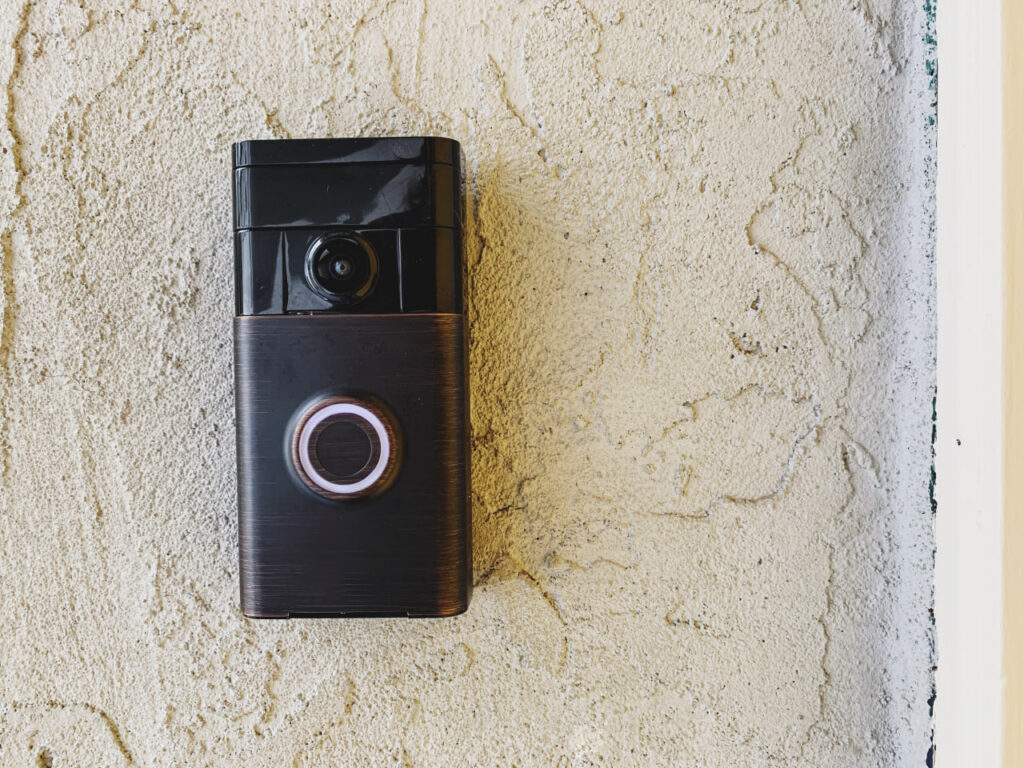
But “later” arrives at 9:30 PM on moving day when the router is blinking orange, the cable company’s next available window is Thursday, and the Ring doorbell is still registered to the family who sold you this house.
A smart home needs a smart home moving checklist. Here’s what belongs on yours.
Why Does the Smart Home Get Skipped?
A smart home moving checklist doesn’t appear in most moving guides. But for families who rely on connected devices to run their daily lives, it’s as essential as any utility transfer on the list.
Most moving advice was written before the average home had a Ring doorbell, a Nest thermostat, a mesh router, and a handful of smart speakers. The standard checklist covers what you can see: furniture, boxes, utilities, address changes.
Smart home devices are harder to plan for because they’re physical objects that behave like software. You can pack a Nest thermostat in a box, but getting it running in the new home requires more than unpacking it. Each device needs to be deregistered from the old address, reset, reinstalled, and reconnected, often in a specific order, on a specific network that has to exist before any of that can happen.
And unlike a lamp or a couch, most connected devices have a timing dependency. A doorbell camera that goes up before the internet is live can’t record anything. A smart thermostat that reconnects before the HVAC has been inspected can’t configure its schedule correctly.
When families plan these steps in isolation instead of building them into the larger move timeline, they end up debugging their home for the first two weeks instead of settling in.
If you’re just beginning to plan your move, we’ve created a free, downloadable PDF checklist to help you get the ball rolling.
What Goes on a Smart Home Moving Checklist?
Start with a device inventory. Walk through your current home and make a note of every device that connects to your network or ties to an account. The list is usually longer than people expect:
- Security cameras and video doorbells (Ring, Nest Cam, Arlo): Deregister these from your current address before you hand over keys. A camera still registered to a home you no longer own is a security issue for both households.
- Smart thermostats (Nest, Ecobee, Honeywell Home): Save your current schedule in the app before removal. At the new home, the thermostat needs to be reinstalled to the existing wiring and reconfigured with your saved settings.
- Smart locks (August, Schlage, Yale): If the lock is coming with you, wipe it and re-pair it at the new address. If it’s staying with the house, clear all access codes so the new owners start fresh.
- Mesh routers and Wi-Fi systems (Eero, Google Nest WiFi, Orbi): These move with you but need a live internet connection to configure at the new address. Your ISP appointment is the dependency. Everything else waits on this.
- Smart speakers and displays (Amazon Echo, Google Home, Apple HomePod): The easiest transfer. They reconnect to your account once they’re on the new network.
- Smart lighting (Philips Hue, LIFX): Bulbs and fixtures move with you. The hub reconnects to the new network during setup.
- Home security systems (Ring Alarm, SimpliSafe, ADT): Many require professional deinstallation or advance notice to transfer monitoring service. Check with your provider as soon as your move date is confirmed.
A device inventory is the foundation of your smart home moving checklist. Once you know what you have, you can start mapping out what needs to happen and when.
What Needs to Happen Before Moving Day?
The most time-sensitive item on a smart home moving checklist isn’t a device. It’s your internet service.
Contact your internet provider to schedule installation at least 10 to 14 days before your move date. Most providers need advance notice to set up service at a new address, and availability on your preferred date isn’t guaranteed if you wait. Request a move-in day window, or the morning before if that’s available. Everything else in the digital move depends on this appointment.
Once the ISP is locked in, work backward:
- Deregister cameras and doorbells from your current address at least the day before handing over keys.
- Contact your home security provider to schedule a service transfer if your system requires professional work.
- Export your smart home device settings from any app that supports it. Nest, Ecobee, and most security platforms let you back up schedules and preferences before a factory reset.
- Confirm which devices are yours vs. part of the home. Smart thermostats and portable cameras travel with you. Built-in security cameras, hardwired systems, and smart lighting wired into the home’s electrical may be considered part of the property. Verify this in your sale agreement before moving day.
Getting these items documented and scheduled before the moving truck is booked means you’re not solving problems on moving day. It also means your move coordinator has a complete picture of the digital setup when they build your plan.
What Happens on Moving Day?
With a full service moving company (also called white glove or end-to-end movers), your move coordinator builds the tech setup into the moving day plan as a sequenced part of the overall timeline, not as an afterthought.
They know when the ISP appointment is. They flag which devices need to be remounted or reinstalled at the new address (doorbells, thermostats, cameras) so the crew is prepared to handle them alongside the physical unload. If you’ve also scheduled a tech installer or smart home specialist, your coordinator times their arrival with the crew so everything happens in one planned window, not two separate waits.
The crew can mount Ring doorbells and Nest thermostats, reinstall security cameras, and position your mesh Wi-Fi system in the rooms where coverage matters. For larger setups, your coordinator handles the scheduling. You don’t have to worry about the logistics.
Disreputable moving brokers and basic carriers don’t offer this kind of coordination. They load the truck and leave the rest to you. It’s worth asking any moving company you’re considering: who manages the day-one timeline, and how?

What Does a Fully Connected Day One Look Like?
For a family that uses devices in their daily life, a fully connected day one is a beautiful thing. The internet is live when the first box comes off the truck. The Ring doorbell is registered to your account and showing your new front porch. The Nest is running the schedule you backed up from your old home. The smart lock is re-paired and your family’s access codes are set.
That way, your home isn’t just “moved in.” It’s connected.
A smart home moving checklist makes your first days at home about settling in, not troubleshooting. When technology needs are built into the move plan from the start (instead of being discovered box by box after the truck leaves), the first night in a new home feels the way it’s supposed to.
If you’re ready to plan a move that covers everything on the list, Central Transportation Systems would love to help. Call us today to talk through what full service moving looks like for your home, smart devices included.
Frequently Asked Questions
- What is a smart home moving checklist?
A smart home moving checklist covers the connected devices in your home that need to be deregistered, reset, transferred, and reinstalled when you move, including video doorbells, smart cameras, thermostats, smart locks, routers, and home security systems. It runs parallel to (and in addition to) your standard moving checklist.
- When should I schedule internet service at my new home?
Contact your ISP at least 10 to 14 days before your move date. Book the appointment at the same time you book your movers. If possible, request a move-in day or move-in morning window, as availability is limited and waiting makes it harder to get the date you need.
- What smart home devices can a moving crew install?
With a full service or white glove moving company, the crew can typically mount and reinstall devices like Ring doorbells, Nest thermostats, and security cameras on delivery day. For larger or more complex setups, your move coordinator can schedule a tech installer alongside the crew as part of a single coordinated window.
- Does my Ring doorbell stay with the house when I sell it?
Doorbells and portable cameras are typically personal property and move with you. Hardwired security cameras and built-in security systems may be considered part of the home. Confirm this in your sale or purchase agreement before moving day.
- What’s the first thing to set up after moving?
Your internet service. Everything else in your smart home depends on a live network — cameras, thermostats, smart locks, and speakers all require Wi-Fi to complete setup. Schedule your ISP appointment in advance and treat it as the first item in your smart home moving checklist, not the last.
